Convert any project BPM into tempo-aligned reverb pre-delay, decay times, delay lengths from 1/1 to 1/64, and matching LFO frequencies in Hz. Click any value to copy or export CSV.
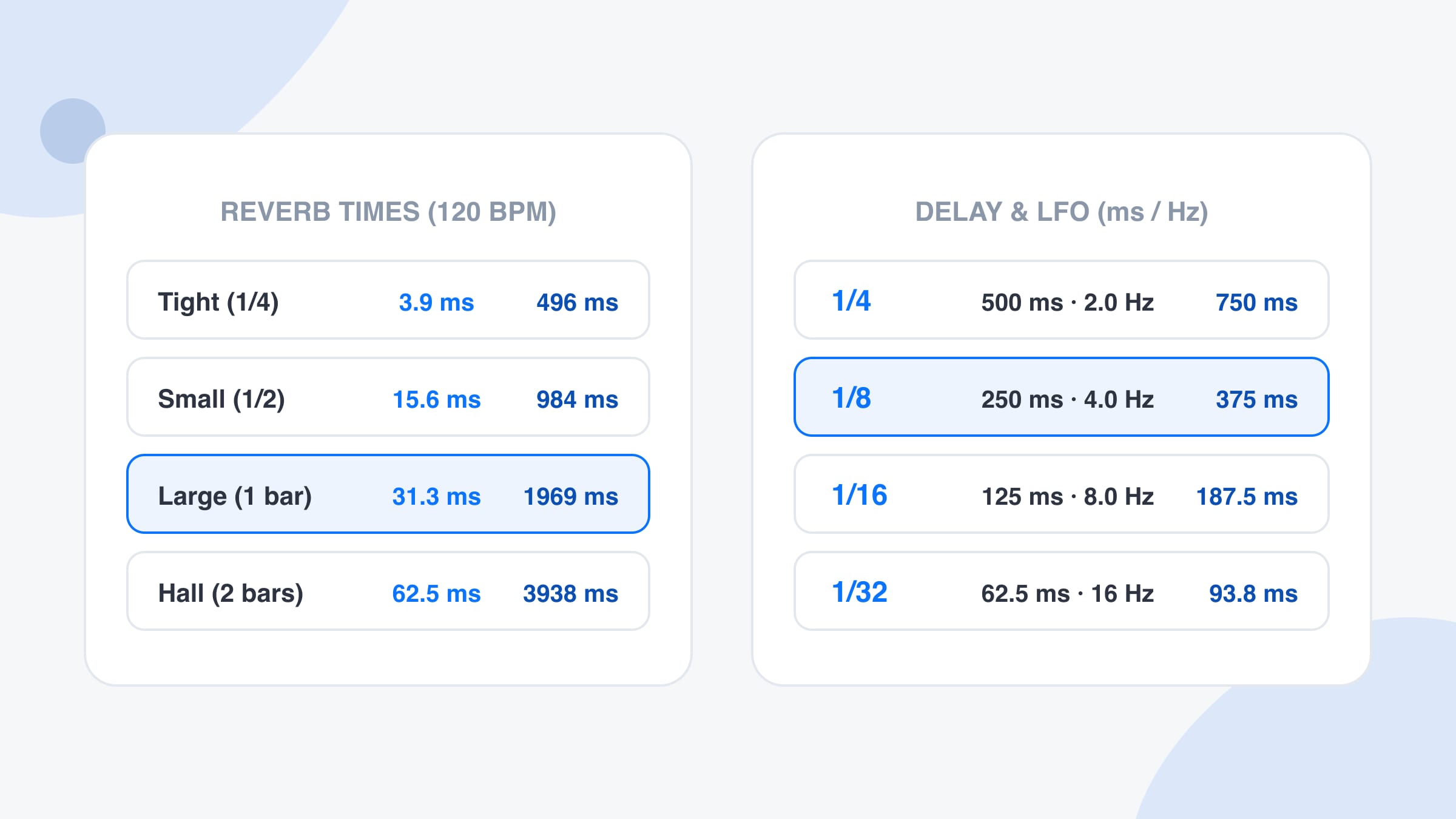
Showing timings for 120 BPM. One beat is a quarter note; bar lengths assume 4/4.
Reverb times (Pre-Delay and Decay)
Tempo-aligned starting points, not measured room acoustics. Tap any number to copy it into your plugin.
Pre-delay, decay time and total reverb time in milliseconds for four room sizes
Reverb size
Pre-Delay
Decay time
Total reverb
Delay times & LFO frequencies
Quarter-note delay = 60,000 ÷ BPM ms. Dotted = ×1.5; triplet = ×⅔. Tap any ms or Hz cell to copy.
Delay times in milliseconds and matching LFO rates in hertz for straight, dotted and triplet notes
Note value
Straight
Dotted
Triplet
Not sure of the track’s tempo yet? Measure it with the BPM finder or tap tempo.
Features
What this delay and reverb calculator works out
Reverb room timings, straight/dotted/triplet delays and LFO rates in one clean view built for mixing.
Reverb pre-delay and decay by room size
Enter your project BPM and the delay reverb calculator generates tempo-synced pre-delay, decay time and total reverb length for four practical spaces: Tight Ambience (1/4), Small Room (1/2), Large Room (1 bar) and Hall (2 bars).
Delay times from 1/1 down to 1/64
See straight, dotted (×1.5) and triplet (×⅔) delay times in milliseconds across seven note values. Whether you need a slapback vocal echo or a rolling dotted-eighth guitar delay, every value updates live as you type.
Matching LFO frequencies in hertz
Right underneath every millisecond figure, the delay reverb calculator prints the exact LFO frequency in Hz (1,000 ÷ ms). Dial in tempo-locked chorus, tremolo, auto-pan, synth wobble or sidechain filter sweeps without extra maths.
Click-to-copy cells and full CSV export
Tap any millisecond or hertz cell to copy the exact number straight into Valhalla, FabFilter, Soundtoys, Ableton, FL Studio or Logic. Press Export CSV to save the entire reverb and delay timing sheet with your session notes.
Half-time, double-time and audio preview
Press ÷2 or ×2 to test half-time or double-time feels instantly, or press Hear this tempo to audition the pulse by ear while setting your reverb tail and delay rhythm.
What it is
What is a delay and reverb calculator?
A delay and reverb calculator turns your song’s tempo in beats per minute (BPM) into exact milliseconds and hertz so time-based effects breathe with the groove. Every quarter note lasts 60,000 divided by the BPM in milliseconds—at 120 BPM, one beat is 500 ms and a full 4/4 bar is 2,000 ms.
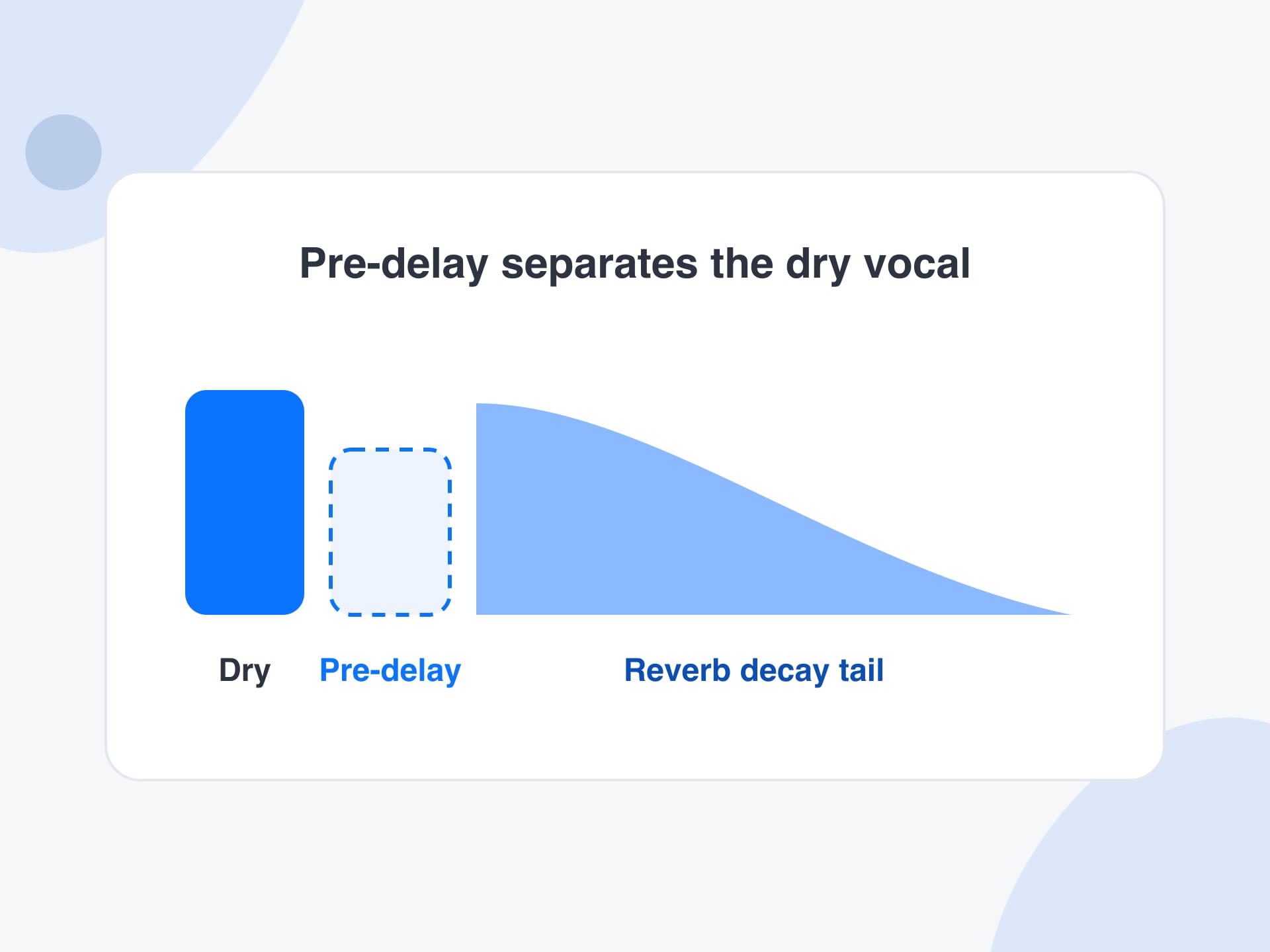
For reverb, splitting a musical note length into a short Pre-Delay plus Decay keeps the dry vocal or snare punchy while letting the tail vanish right on the beat or barline instead of smearing across the next chord. For delays and modulation plugins, showing straight, dotted (×1.5) and triplet (×⅔) lengths alongside their LFO frequency in Hz (1,000 ÷ ms) removes all manual guesswork.
Unlike a bare conversion chart, this tool accepts decimals, lets you audition the tempo by ear, copies any single number in one click and exports the complete timing sheet as CSV. If you do not know the song’s BPM yet, measure the audio file locally on the BPM finder first, or use BPM to ms when you need to convert a millisecond value back into BPM.
How to use
How to calculate delay and reverb times
Step 1
Enter your song’s BPM
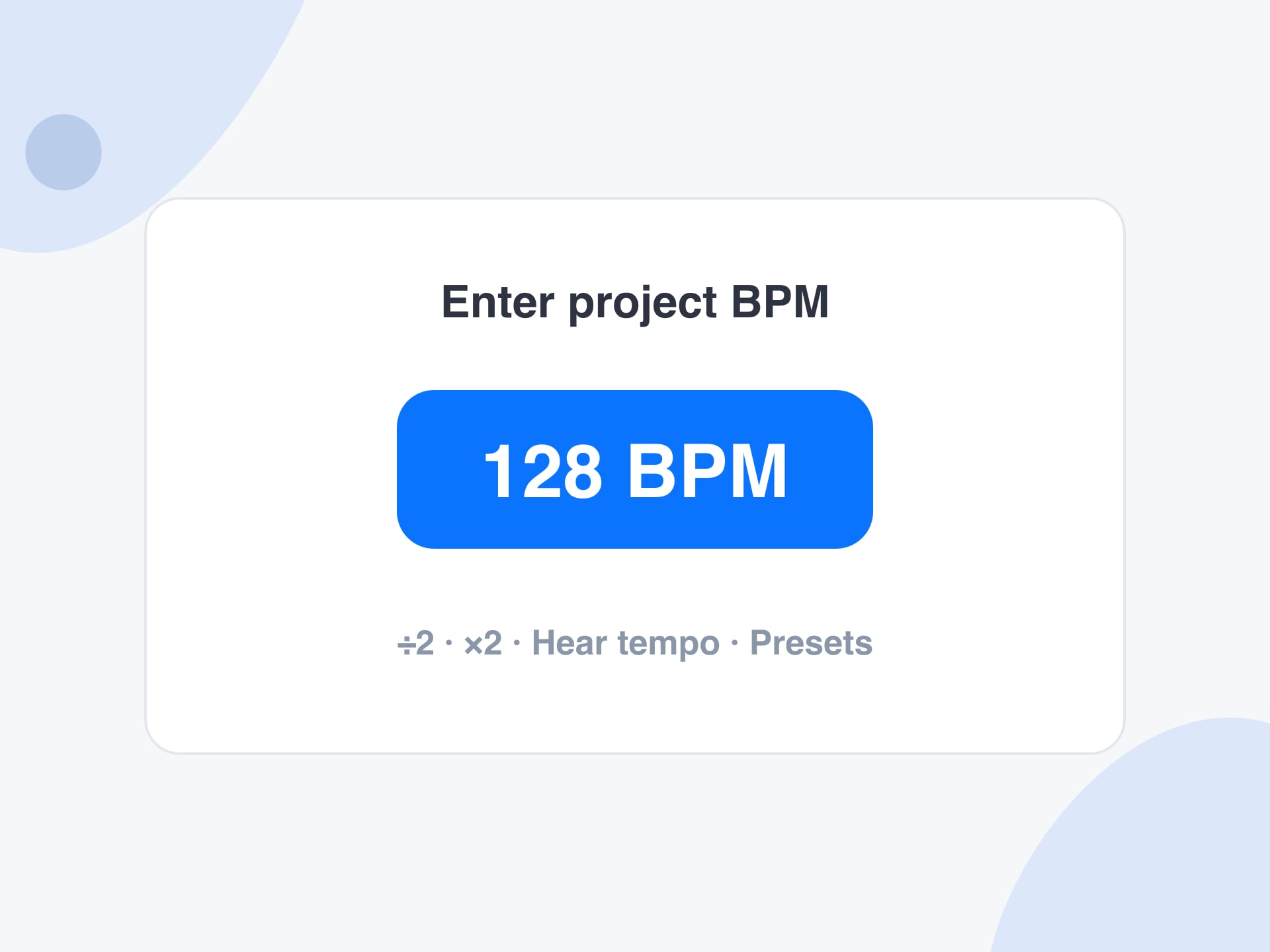
Type any tempo from 20 to 300 BPM, or click a quick preset such as 90, 120, 128, 140 or 174 BPM. If you are not sure whether the track sits at half or double speed, toggle ÷2 or ×2.
Step 2
Read reverb pre-delay and decay
Pick the space that fits your arrangement—Tight Ambience for busy drums, Small or Large Room for leads, or Hall for ballads—so the reverb tail clears right before the next beat or bar hits.
Step 3
Copy delay ms, LFO Hz or export CSV
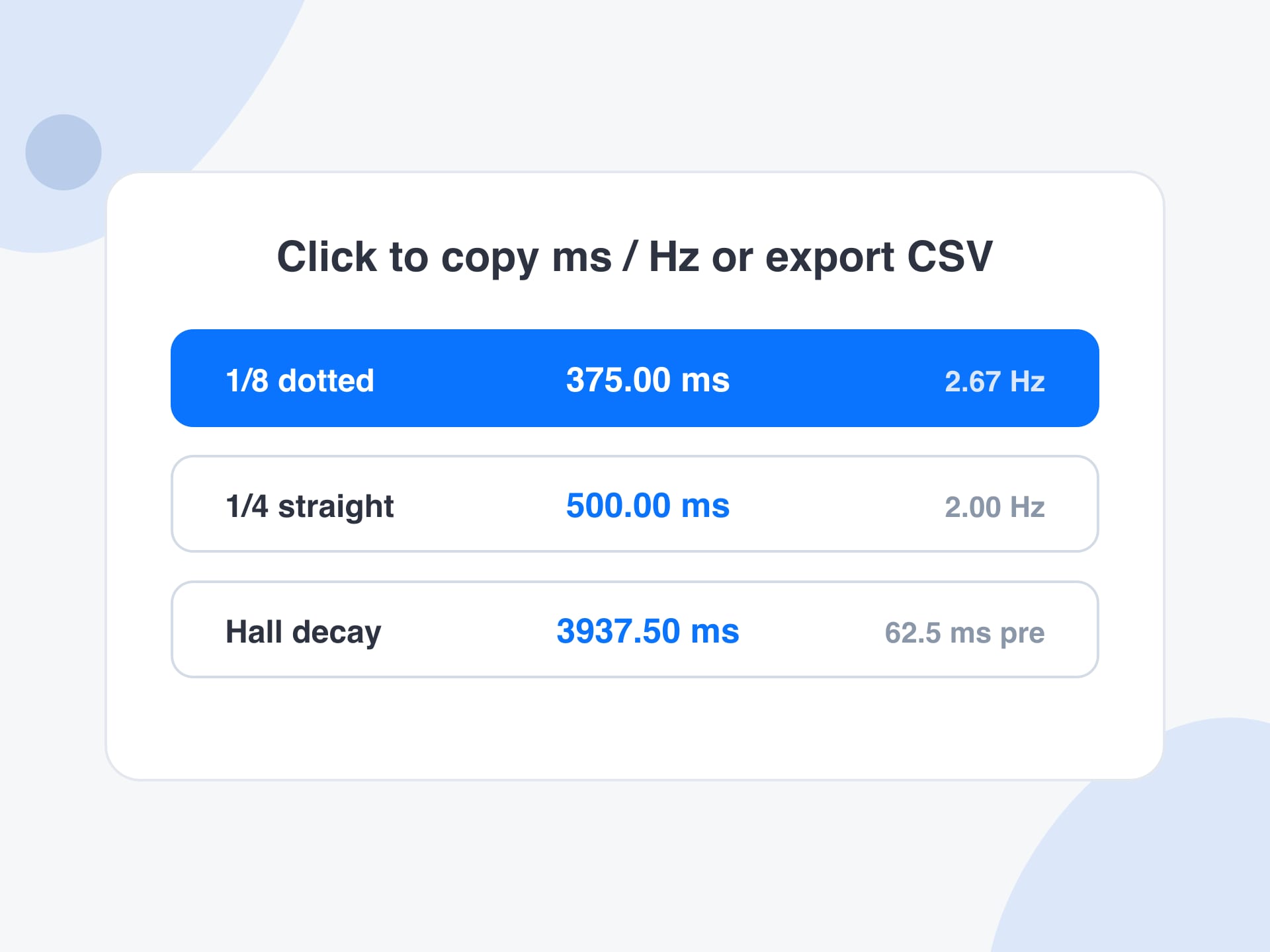
Click any straight, dotted or triplet value to copy milliseconds into a delay plugin or hertz into an LFO rate knob, or hit Export CSV to keep all timings for the whole track.
Why use it
Why producers use a delay and reverb calculator
Faster mixing, clearer vocals and tempo-locked effects on plugins and pedals that do not auto-sync.
Cleaner mixes that breathe with the groove
Untimed reverb tails pile up across chord changes and mask transients. Setting decay and pre-delay with a delay reverb calculator lets every tail fade right on the grid so vocals and snares stay clear.
Works with plugins that only show ms or Hz
Many vintage-style reverb units, analog delay pedals and synth LFOs do not offer DAW host-sync buttons. Having both milliseconds and hertz side by side lets you match any hardware or plugin by numbers.
Zero clutter, instant copy
Both the reverb table and the full 1/1–1/64 delay and LFO table sit right in view with one-click copy buttons. No pop-up forms, no scrolling past giant banners just to copy 375 ms.
Built to pair with BPM measurement
Measure an unlabelled sample or vocal stem on our BPM finder, bring the tempo into this delay reverb calculator, and export one CSV for the whole mixing session.
Quick reference
Reverb and dotted-eighth timings at popular tempos
A handy cheat sheet for common production tempos. All values assume a quarter-note beat in 4/4 and match the live delay reverb calculator above.
Large room pre-delay, large room decay, quarter-note delay and dotted-eighth delay at common BPMs
BPM
Large Room Pre-Delay
Large Room Decay
1/4 Delay
1/8 Dotted Delay
80
46.88 ms
2953.13 ms
750.00 ms
562.50 ms
90
41.67 ms
2625.00 ms
666.67 ms
500.00 ms
100
37.50 ms
2362.50 ms
600.00 ms
450.00 ms
120
31.25 ms
1968.75 ms
500.00 ms
375.00 ms
128
29.30 ms
1845.70 ms
468.75 ms
351.56 ms
140
26.79 ms
1687.50 ms
428.57 ms
321.43 ms
174
21.55 ms
1357.76 ms
344.83 ms
258.62 ms
Limits and tips
Mixing tips for tempo-synced delay and reverb
Treat the reverb numbers as musical starting points, not rigid laws. Real reverb algorithms measure RT60 differently, so dial in the calculated pre-delay and decay first, then trim the tail by ear in context with the full mix.
Pre-delay creates a tiny dry gap before the reverb blooms. On lead vocals, 15 to 40 ms of tempo-synced pre-delay keeps consonants upfront while still giving the voice a lush space.
Always high-pass your reverb and delay returns around 120 to 250 Hz. Even a perfectly timed 1-bar decay will muddy the low end if kick and bass energy floods the reverb tank.
Try pairing a dotted-eighth delay on one side with a quarter-note delay on the other for wide rhythmic guitars or synth plucks that stay locked to the groove.
Remember that Pre-Delay + Decay equals Total Reverb Time. In plugins where decay starts after pre-delay (like Valhalla VintageVerb or Logic ChromaVerb), enter the Decay column directly so the combined tail lands right on the bar.
For dense, fast genres such as 140 BPM dubstep or 174 BPM drum & bass, reach for Tight Ambience (1/4) or Small Room (1/2) on drums so the tails clear before the next snare hit.
Use cases
Real mixing workflows
Practical starting points for vocals, drums, guitars and synths.
Lead vocals in Valhalla VintageVerb or FL Studio
Keeping a lead vocal present in front of a dense chorus while letting the reverb tail die cleanly before the next phrase.
Input: A 124 BPM pop track
Setting: Enter 124 BPM and copy Large Room Pre-Delay (30.24 ms) and Decay (1905.24 ms)
Output: A crisp 1-bar vocal space that swells on time without blurring lyrics
Caveat: Dense vocals with fast lyrics often prefer Small Room (1/2) over a full 1-bar decay.
Dotted-eighth electric guitar and synth delays
Dialing an analog delay pedal or non-synced plugin to produce classic rhythmic bounce.
Input: A 112 BPM indie rock track
Setting: Enter 112 BPM and read the 1/8 Dotted cell (401.79 ms)
Output: Echoes that fall squarely between the snare and kick hits
Caveat: Keep feedback moderate (20%–35%) so repeated dotted echoes do not collide with chord changes.
Tempo-locked LFO modulation in synths
Syncing an unsynced hardware synth or tremolo pedal whose rate knob is labelled only in hertz.
Input: A 128 BPM house bassline needing an eighth-note filter pulse
Setting: Enter 128 BPM and copy the 1/8 Straight LFO frequency (4.27 Hz)
Output: Filter modulation that pulses tightly on every eighth note
Caveat: Free-running LFOs still need phase reset or manual retriggering to stay aligned across long bars.
Snare drum room tails in dense mixes
Adding depth to dry drum samples without washing out the pocket.
Input: A 92 BPM boom-bap beat
Setting: Copy Small Room Pre-Delay (20.38 ms) and Decay (1283.97 ms)
Output: A punchy snare crack followed by a tail that fades cleanly into beat four
Caveat: Gate or automate the reverb return if the snare plays rapid ghost notes.
More tools
Keep going with these tools
Each one runs in your browser too, so you can move from one job to the next without uploading anything.
Hear your project tempo with custom time signatures and subdivisions, or export a 4-bar WAV click track.
FAQ
Delay and reverb calculator questions
What is a delay and reverb calculator?
A delay and reverb calculator converts a song’s tempo (BPM) into musical milliseconds and hertz so your delay echoes, reverb pre-delay, reverb decay tails and LFO modulations line up with the rhythm of the track.
How is delay time calculated from BPM?
One quarter-note beat equals 60,000 divided by the BPM in milliseconds. At 120 BPM a quarter note is 500 ms, an eighth note is 250 ms, a dotted note is 1.5 times the straight length, and a triplet is two-thirds of the straight length.
How does the calculator compute reverb pre-delay and decay?
It matches each room size to a musical length (1/4 beat for Tight Ambience, 1/2 for Small Room, 1 bar for Large Room and 2 bars for Hall), assigns a proportional short note value to Pre-Delay, and sets Decay to Total Reverb Time minus Pre-Delay.
Why does pre-delay matter on vocals and drums?
Pre-delay delays the onset of the reverb reflections by a few milliseconds so the dry vocal consonant or drum transient hits cleanly first. That gives you depth and size without pushing the sound to the back of the mix.
What are the Hz numbers in the delay table used for?
Hertz equals 1,000 divided by milliseconds and tells you how many cycles happen per second. Use those Hz values for LFO rates on synths, tremolos, auto-panners, phasers and chorus plugins that do not have a BPM sync switch.
Does this delay reverb calculator work with Valhalla, FL Studio, Logic and Ableton?
Yes. Milliseconds and hertz are universal across every DAW and plugin—including Valhalla VintageVerb, Fruity Reverb 2, ChromaVerb, Soundtoys EchoBoy, FabFilter Pro-R and hardware guitar pedals.
Why does my reverb tail sound slightly longer than the decay number I typed?
Reverb decay is usually measured as RT60—the time it takes for the tail to drop by 60 dB—and high damping, diffusion or dense input audio can make a tail feel longer or shorter. Always fine-tune by ear in the mix.
What is the difference between this page and BPM to ms?
BPM to ms focuses on two-way conversion between BPM and milliseconds (including turning a delay time back into BPM). This delay reverb calculator adds the 4-size reverb pre-delay/decay table, LFO Hz values down to 1/64, audio tempo preview and CSV export.
Should I use ÷2 or ×2 for trap or drum & bass tracks?
If a 140 BPM trap beat feels like 70 BPM half-time, press ÷2 to see half-time reverb tails and slower echoes, or stay at 140 BPM for tighter 1/4 and 1/8 subdivisions. Both buttons update every table instantly.
What does the Export CSV button download?
It saves a clean CSV spreadsheet containing your tempo, the four reverb room presets (pre-delay, decay and total ms) and all seven delay/LFO note rows across straight, dotted and triplet columns.
Does this calculator listen to or upload my audio?
No. It is pure browser arithmetic with an optional local click preview. If you need to detect the BPM of an audio file first, use our BPM finder on the homepage.
What BPM range is supported?
The calculator accepts any number from 20 to 300 BPM, including decimals such as 123.5 BPM, and updates both tables instantaneously as you type.
Calculate your mix timings
Type your session BPM above, copy the pre-delay, decay or delay cell you need, or export the full CSV.